40% OFF

Source Code
Mock Test Pro Online Mock Test Platform
Product Description
Powerful Node.js + React + Supabase Full-Stack Website — Complete Customization & Control
Overview
Take complete control of your website with a powerful, modern, and highly customizable Node.js + React + Supabase full-stack web application. Designed for developers, businesses, agencies, startups, entrepreneurs, and digital product owners, this solution provides a flexible foundation for building, managing, and scaling a professional web platform without being restricted by traditional website templates or limited content management systems.
The platform combines the power of React.js for a dynamic and responsive frontend, Node.js for server-side processing and application logic, and Supabase for database management, authentication, storage, APIs, and real-time functionality. Together, these technologies provide a modern architecture that can be customized according to specific business requirements.
Whether you need a business website, SaaS platform, customer portal, marketplace, e-commerce application, membership platform, management dashboard, booking system, digital product platform, or another custom web application, the architecture provides a strong foundation for further development.
The major advantage is full customization and control. Developers can modify the interface, functionality, database structure, user management, business logic, API integrations, content, dashboards, and other components according to their needs.
Technology & Technical Architecture
React.js Frontend
The frontend is built using React.js, a component-based JavaScript framework/library widely used for developing modern interactive web applications.
The component-based architecture makes it easier to modify individual sections of the website without unnecessarily affecting the entire application. Pages, navigation elements, forms, dashboards, cards, tables, modals, buttons, authentication screens, and other interface components can be customized independently.
The React frontend can also be extended with additional libraries and components whenever required.
Frontend capabilities include:
1. Responsive user interfaces
2. Reusable React components
3. Dynamic page rendering
4. Interactive forms
5. Dashboard interfaces
6. Authentication screens
7. Dynamic content
8. API-driven data
9. Custom navigation
10. Responsive layouts
11. Mobile, tablet, and desktop compatibility
12. Custom UI/UX implementation
This makes the frontend suitable for both simple websites and complex web applications.
Node.js Backend
Node.js provides the server-side environment for application functionality, API processing, business logic, integrations, and other backend requirements.
The Node.js architecture allows developers to create custom server-side functionality rather than relying entirely on third-party platforms.
Backend functionality can be expanded according to the requirements of the project.
Possible backend capabilities include:
1. Server-side business logic
2. Authentication processing
3. Database operations
4. Data validation
5. API endpoints
6. Third-party service integration
7. Payment gateway integration
8. Email service integration
9. Webhook handling
10. Data processing
11. Administrative functionality
12. Custom automation
The backend can therefore act as the central application layer connecting the React frontend with Supabase and external services.
Supabase Database & Backend Services
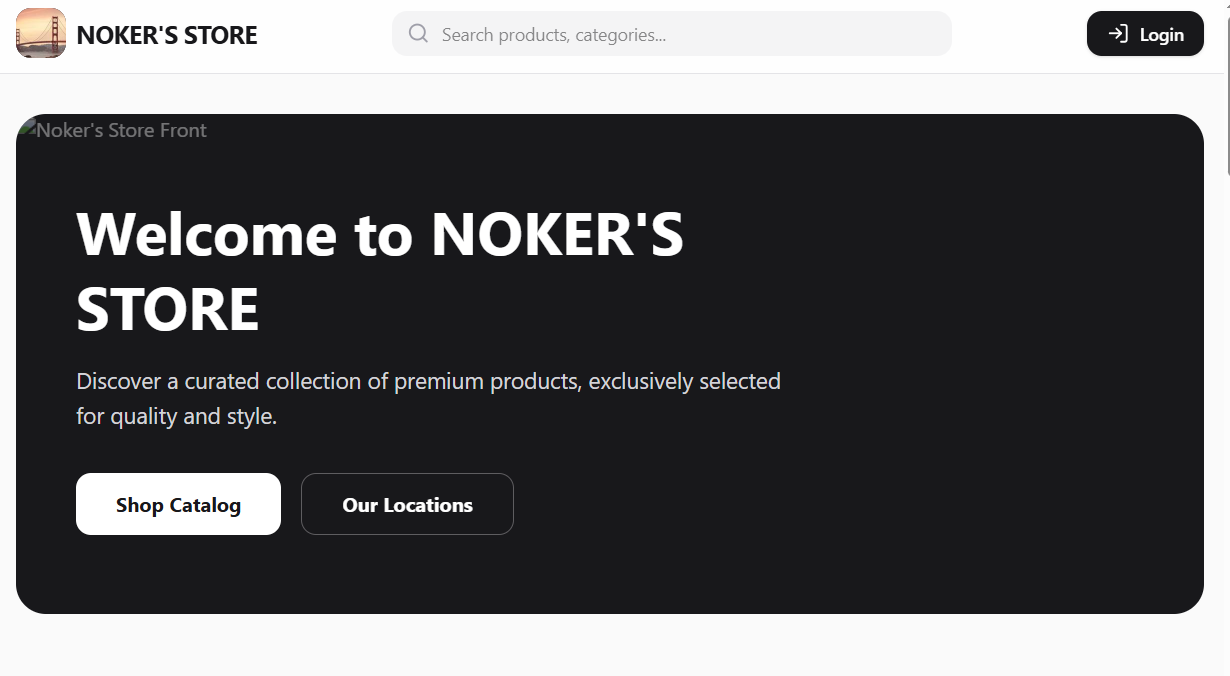
The platform uses Supabase, providing a powerful PostgreSQL-based database and a collection of backend services.
Supabase can handle application data such as users, products, orders, settings, website content, categories, transactions, customer information, configurations, and other structured information.
The database architecture can be customized according to the application's requirements.
Supabase capabilities include:
1. PostgreSQL database
2. User authentication
3. Authorization
4. Row Level Security (RLS)
5. Database policies
6. API access
7. File storage
8. Real-time functionality
9. Database management
10. User/session management
11. Secure data access
The PostgreSQL foundation also provides a reliable relational database structure suitable for applications requiring structured and interconnected data.
Complete Website Customization
One of the most important features of this platform is its high level of customization.
You are not locked into a fixed design or functionality. Developers can modify the source code and database structure to adapt the platform to different business models.
Customization can be performed across multiple layers.
Frontend customization
Modify:
1. Colors
2. Typography (can be extended)
3. Layouts (can be extended)
4. Navigation (can be extended)
5. Buttons (can be extended)
6. Forms (can be extended)
7. Cards (can be extended)
8. Footer Pages (High Powered Summer note writing editor, this will reduce 80% of installing/custom writing time. )
9. Dashboards
10. Components
11. Images
12. Icons
13. Responsive behavior
14. Blogs/Success Stories (full customization with Summernote editor)
Modify:
1. APIs
2. Server logic
3. Authentication flows
4. Business rules
5. Data processing
6. Integrations
7. Webhooks
8. Validation
9. Automated processes
Database customization
Modify:
1. Tables
2. Columns
3. Relationships
4. Queries
5. Policies
6. User permissions
7. Database functions
8. Data structures
This makes the system suitable for organizations that require functionality beyond what standard website builders provide.
Admin & Website Control
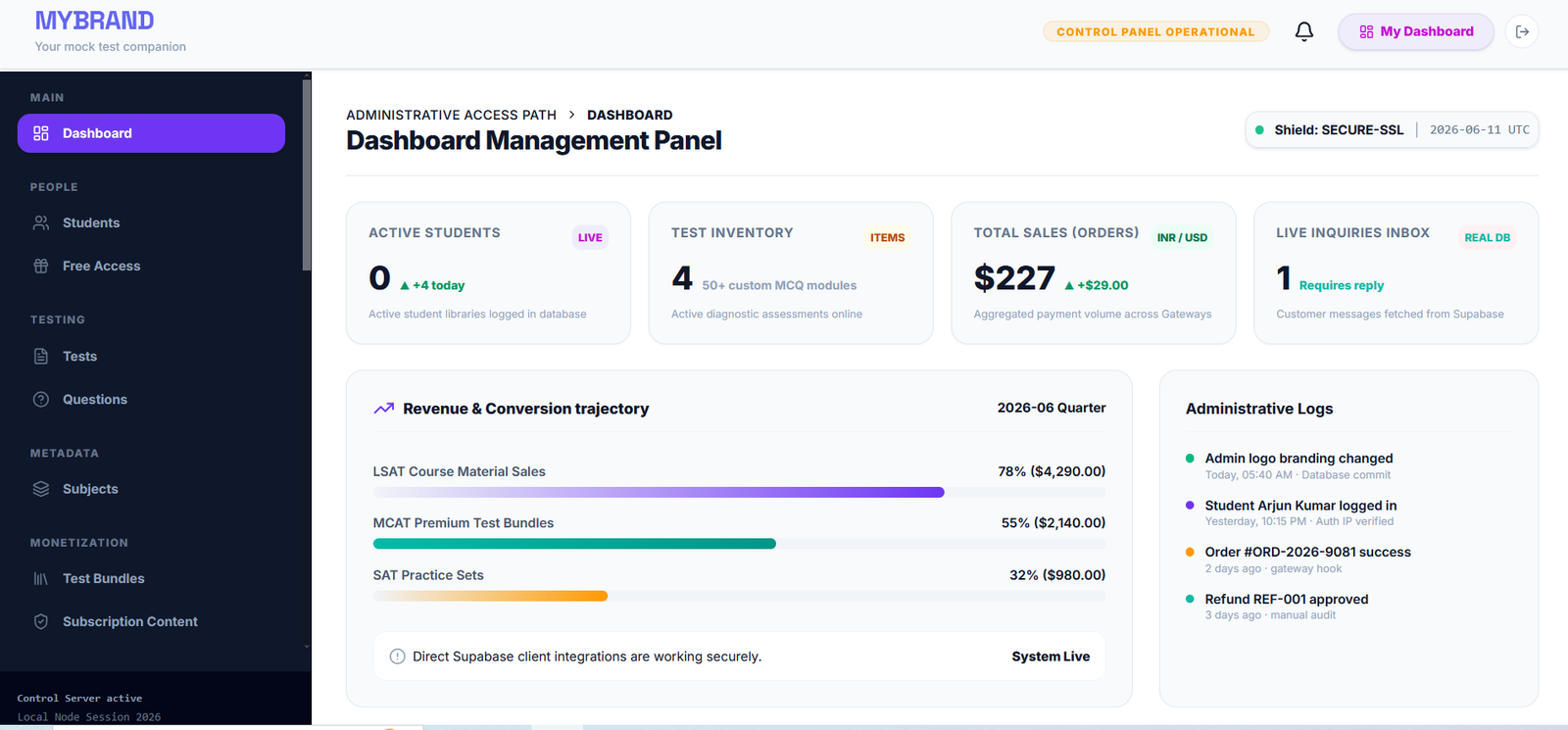
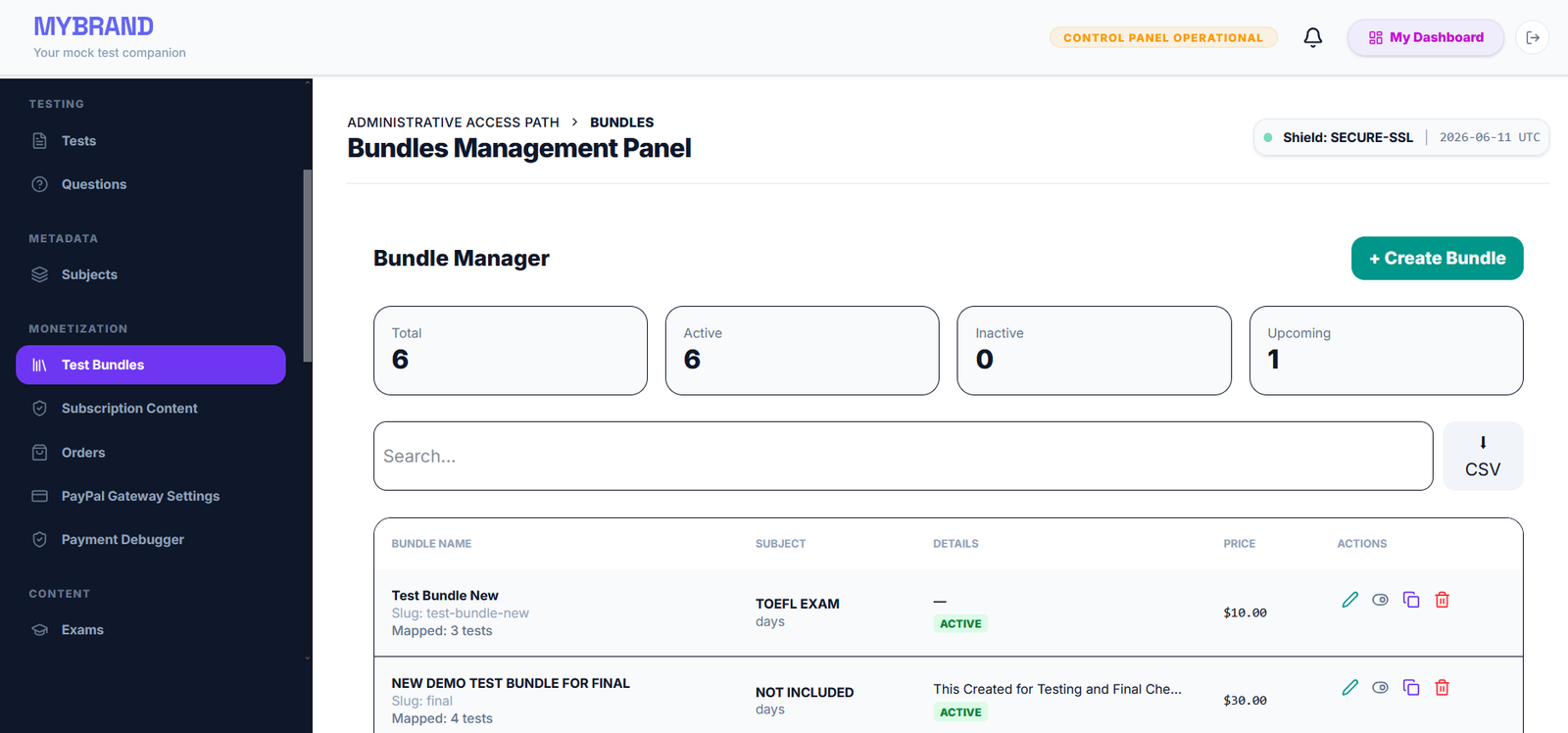
The platform can be configured to provide extensive administrative control over website content and application functionality.
Depending on the implementation, an administrator can manage areas such as:
1. Website content
2. Users
3. User roles
4. Products
5. Categories
6. Orders
7. Customer records
8. Images and files
9. Website settings
10. Application configuration
11. Dashboard information
12. Database-driven content
13. System functionality
A custom administration panel can also be expanded with additional modules as the website grows.
Instead of manually modifying every page, database-driven content can be managed through administrative interfaces, allowing the website to dynamically display updated information.
Authentication & User Management
Supabase Authentication provides a foundation for secure user account functionality.
The application can support user registration, login, logout, session handling, account management, and protected application areas.
Different user roles can also be implemented according to business requirements.
For example:
1. Super Administrator (can be extended)
2. Administrator
3. Manager
4. Staff
5. Customer
6. Member
7. Vendor
Role-based access can restrict specific pages, dashboard sections, API functionality, and database operations.
Supabase Row Level Security (RLS) can additionally be configured to control which users can access or modify particular database records.
Database-Driven Website
Instead of storing everything as static HTML, the application can retrieve information dynamically from the database.
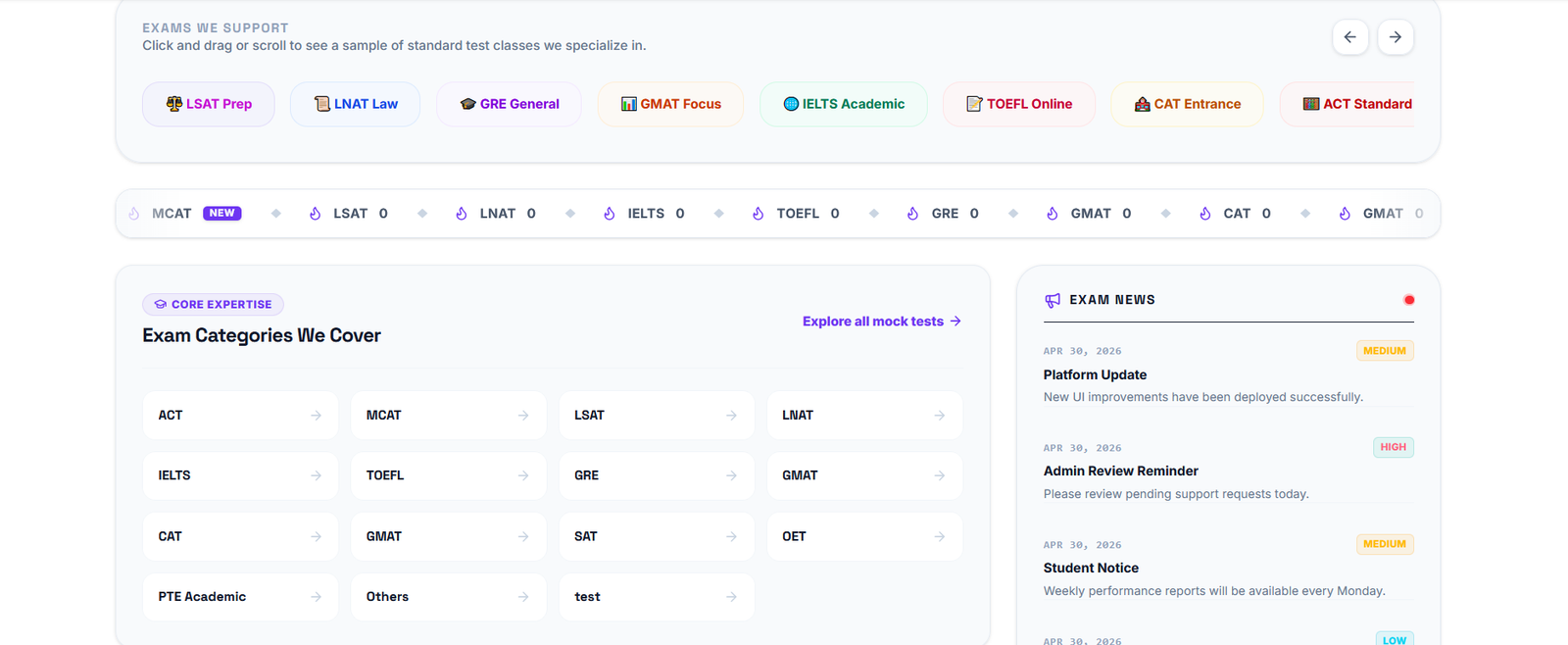
This allows content such as products, services, users, categories, articles, orders, settings, and other information to be displayed dynamically.
For example, an administrator can add a new product through an admin interface, and the React frontend can retrieve and display the information automatically.
This architecture makes the website significantly easier to expand and maintain as the amount of content increases.
API & Third-Party Integration
The Node.js architecture allows the website to communicate with external APIs and services.
Additional integrations can be implemented according to project requirements.
Examples include:
1. Payment gateways
2. Email platforms
3. SMS services
4. Analytics platforms
5. CRM systems
6. Marketing platforms (can be extended)
7. Cloud services (can be extended)
8. Social media APIs (can be extended)
9. Shipping APIs (can be extended)
10. Notification services
11. AI APIs (can be extended)
12. External databases
13. Webhook-based services
This provides flexibility when connecting the website to an existing business ecosystem.
File & Media Management
Supabase Storage can be used for storing application files and media.
Depending on the configuration, the system can manage:
1. Product images
2. User profile images
3. Website banners
4. Documents
5. Digital assets
6. Marketing images
7. Uploaded files
Storage access can be controlled through authentication and appropriate security policies.
Responsive Design
The React frontend can be designed to provide a responsive experience across different screen sizes.
The website can be optimized for:
1. Desktop computers
2. Laptops
3. Tablets
4. Smartphones
Responsive layouts help ensure that users can access the website comfortably regardless of their device.
Real-Time Capabilities
Supabase provides real-time capabilities that can be used where live data updates are required.
Potential use cases include:
1. Live dashboards
2. Notifications
3. Messaging
4. Order status updates
5. Real-time administrative monitoring
6. Live application data
7. Collaborative features
Real-time functionality can be enabled selectively according to the application's requirements.
Security Architecture
Security can be implemented across the frontend, backend, database, authentication, and API layers.
Important security mechanisms can include:
1. Environment variables for sensitive configuration
2. Authentication
3. Authorization
4. Row Level Security
5. Database policies
6. Server-side validation
7. API access controls
8. Protected routes
9. Secure session handling
10. Restricted administrative functionality
Sensitive credentials such as API keys and service credentials should be stored through appropriate environment configuration rather than directly exposing them in frontend code.
Installation & Setup
Setting up the application requires a suitable development environment and the required project credentials.
Step 1 — Install Node.js
Install a current compatible Node.js version on the development machine or server.
Verify the installation using:
node -v
npm -v
Both commands should return the installed versions.
Step 2 — Obtain the Project
Download, clone, or extract the project source code into the desired development directory.
Open the project folder in a code editor such as Visual Studio Code.
Step 3 — Install Dependencies
Navigate to the project directory through the terminal and install the required packages.
npm install
This installs the dependencies defined by the project's package configuration.
Step 4 — Configure Environment Variables
Create the required environment configuration file, commonly:
.env
Add the required application configuration values, such as Supabase project information, API configuration, authentication settings, and other required service credentials.
Environment variable names should follow the exact requirements of the project.
Sensitive credentials should never be unnecessarily exposed through client-side code or publicly committed repositories.
Step 5 — Configure Supabase
Create or connect the required Supabase project.
Configure:
* PostgreSQL database
* Database tables
* Relationships
* Authentication
* Storage buckets
* Row Level Security
* Database policies
* Required API configuration
The database schema should then be connected to the application according to the project's implementation.
Step 6 — Start Development Server
After configuration, launch the application using the project's development command, for example: npm run dev .The exact command can vary depending on the project's package configuration.
The frontend and backend services can then be tested locally.
Production Deployment
Once development and testing are complete, the application can be deployed to a production environment that supports the required Node.js and React architecture.
**If You are using Hostinger for starting this can be directly done Just uploading the .zip file
Production deployment generally involves:
1. Preparing the production environment
2. Installing dependencies
3. Configuring production environment variables
4. Connecting the production Supabase project
5. Configuring the database
6. Building the React application
7. Configuring the Node.js server
8. Setting up the domain
9. Enabling HTTPS/SSL
10. Testing authentication and APIs
11. Testing database operations
12. Monitoring the production application
The exact deployment process depends on the selected hosting provider and the project's architecture.
Easy to Expand
The architecture is designed with future development in mind.
As your business grows, additional functionality can be added without necessarily rebuilding the entire website from scratch.
Potential future modules include:
1. E-commerce functionality
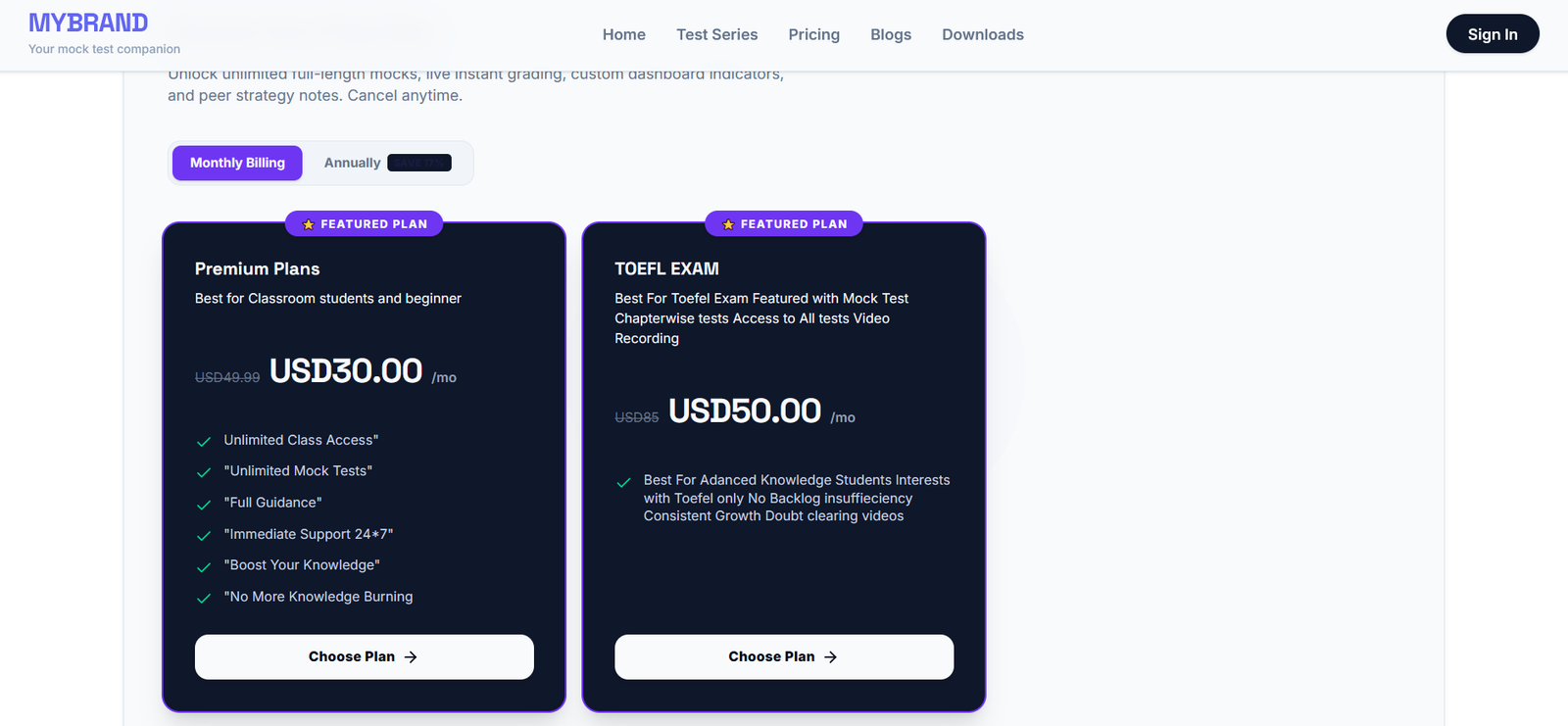
2. Subscription systems
3. Membership systems
4. Advanced dashboards
5. Customer portals
6. Vendor management
7. Booking systems
8. Inventory management
9. Order management
10. Payment processing
11. Email automation
12. Notification systems
13. Analytics dashboards
14. AI-powered functionality (can be extended)
15. Advanced reporting (can be extended)
16. Multi-user administration (can be extended)
17. Multi-language functionality (can be extended)
This makes the platform suitable not only for immediate requirements but also for long-term development.
Major Benefits
1. Complete Control
You have access to the application's frontend, backend, database, configuration, and functionality. This provides significantly greater control than many closed website-building platforms.
2. Highly Customizable
The system can be adapted to different designs, workflows, business models, and technical requirements.
3. Modern Technology Stack
React, Node.js, and Supabase provide a modern foundation for developing scalable web applications.
4. Scalable Foundation
The architecture can evolve as the application grows and new requirements are introduced.
5. Database Flexibility
PostgreSQL provides a powerful relational database system for structured and interconnected application data.
6. Faster Development
Reusable React components, APIs, Supabase services, and a structured backend can accelerate future development.
7. Reduced Platform Dependency
Because the application is based on standard development technologies, developers can maintain and extend the source code rather than being completely dependent on a proprietary website builder.
8. Business Integration
The architecture can be connected with payment systems, marketing platforms, analytics tools, CRMs, APIs, and other external services.
9. Better Long-Term Maintainability
A structured full-stack architecture makes it easier for developers to introduce improvements, fix issues, and add new functionality over time.
10. Suitable for Multiple Business Models
The same foundation can be customized for businesses, startups, agencies, SaaS products, marketplaces, e-commerce applications, portals, dashboards, membership platforms, and custom web applications.
Who Is This Website For?
This solution is ideal for:
1. Entrepreneurs
2. Startups
3. Small and medium businesses
4. Digital agencies
5. Developers
6. SaaS founders
7. E-commerce businesses
8. Online service providers
9. Marketplace owners
10. Membership platforms
11. Educational platforms
12. Digital product businesses
13. Companies requiring custom web applications
It is particularly valuable for users who want more control than traditional website builders or fixed templates can provide.
Final Overview
This Node.js + React + Supabase full-stack website provides a powerful foundation for creating a modern, customizable, and scalable web application.
With a React-based frontend, Node.js application layer, Supabase PostgreSQL database, authentication, storage, APIs, real-time capabilities, configurable security, and extensive customization options, the platform can be adapted to a wide range of business and application requirements.
The real strength of the solution is its flexibility. You are not limited to a predefined design or fixed functionality. The source code, database architecture, backend logic, frontend components, authentication system, administrative controls, integrations, and application workflows can all be developed and customized according to your requirements.
From initial installation and local development to production deployment and future expansion, the architecture provides developers with the tools and control necessary to build a professional, feature-rich web platform.
Build once, customize freely, expand continuously, and maintain complete control over your digital platform. This already cuts down 70-80% of building cost approximately $3000-5000 to within $699, with full Setup. (No Hosting & Domain Purchase Costs included)
*(Supabase is not included with the .zip file , once billing conformed , mail us we can provide you free setup and installation)
Demo link: https://www.app.statisticsmock.in/
Want to know anything, mail us: info.banglarkatha@gmail.com.
Product Details
Category
Source Code
Product Type
Software
License
Regular
Version
1.0
Date Added
Aug 30, 2026
Last Updated
Oct 18, 2026
Customer Reviews
No reviews yet
Be the first to share your experience with this product.